
.png)
A communications manager opens Zoom on Monday, clicks the meeting summary like always, and moves on. It is the one AI feature she actually uses. What she does not realize is that the same plan she already pays for can now draft her follow-up tasks, answer questions across her documents, translate a call in real time, and flag a deepfake before it ever reaches her team. None of it is switched on, because no one told her it was there.
That gap is the whole story with Zoom AI right now. Most people know it for meeting summaries, but the platform has moved well past that. Zoom has been shipping new capabilities faster than most teams can track them, and the hard part is no longer finding AI features. It is knowing what each one does, who it helps, and whether it is already active in your plan. The odds are good that it is.
Here is a plain-language guide to Zoom's AI toolkit, tool by tool, with a quick note on who each one is best for. Two fast definitions first. UCaaS, or Unified Communications as a Service, means your phone, video, messaging, and meetings run together in the cloud. CCaaS, or Contact Center as a Service, is the cloud software a support team uses to handle high volumes of customer contacts. Zoom is one of the few platforms that covers both.
Just Announced: ZoomMate Launches and the AI Companion Brand Retires
Two things are changing at Zoom at the same time, and they are worth understanding together.
First, the AI Companion brand is being retired. The name and logo are being removed across Zoom products, with full debranding expected to complete around June 21, 2026. The underlying capabilities are not going away. They stay built into Zoom Workplace as native features, like Meeting Summary and Chat Compose, just without the AI Companion label on them.
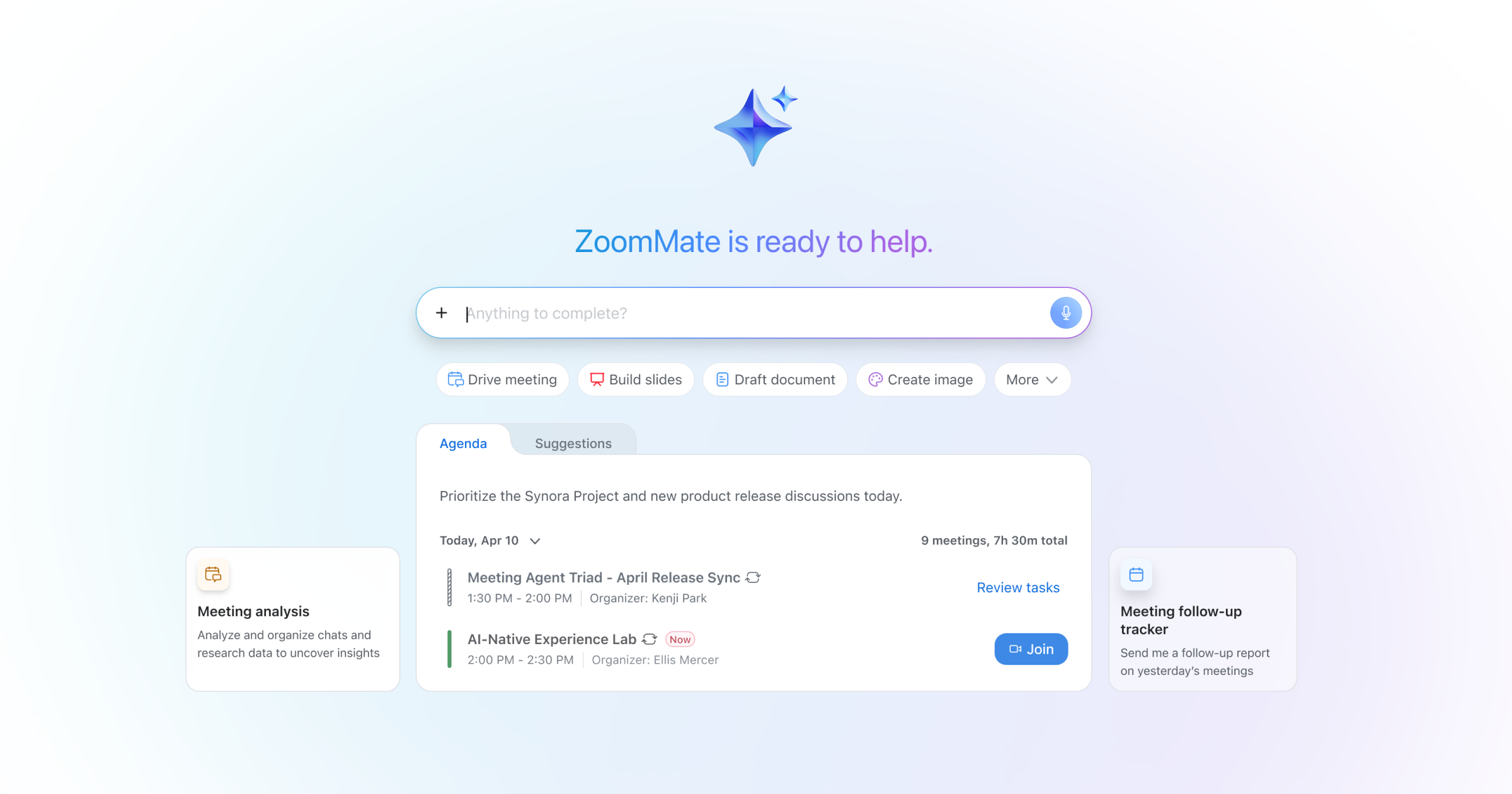
Second, ZoomMate launched on June 1, 2026 as a separate, new product Zoom is positioning as the next step in its AI evolution. It is sold as a paid add-on rather than included in your Workplace plan, and it uses a usage-based credits model for advanced features. The AI Productivity Suite, a bundle of new AI tools, launched alongside it.
Here is what those two changes actually mean for anyone running on Zoom today.
What happens to the AI capabilities you already have
If you are on a paid Zoom Workplace plan like Pro, Business, or Enterprise, the AI features you had under AI Companion continue to be included at no extra cost. They are becoming native Workplace features rather than a separately branded product. Over the next few weeks you will see the AI Companion name and logo disappear from the interface, but meeting summaries, action items, chat thread summaries, and the rest stay exactly where you can find them.
The picture is different for free Zoom users on the Workplace Basic plan, where AI capabilities are now metered, with hard caps on things like monthly summaries and AI queries.
What ZoomMate is
ZoomMate is Zoom's new AI work platform, sold as a paid add-on on top of Workplace. It is positioned as a digital assistant that anticipates, automates, and accelerates how teams work, using agentic search, intelligent workflows, and productivity tools that live directly inside the flow of work. The idea is that it recognizes how you work, connects insights across your meetings, chats, and files, and then carries the work forward after the conversation ends, including across other systems like Salesforce, ServiceNow, Jira, and Slack.
Worth understanding how ZoomMate is priced, because it is not a simple pay-per-use model. Some capabilities, including AI queries, basic workflows, and search across your Zoom assets and context, are included without using credits. Usage limits and credit consumption apply to more advanced agentic functions like advanced completion, agentic search, and complex workflows. So it is partially metered, with credit cost rising as the AI does more on your behalf..
What the AI Productivity Suite is
Alongside ZoomMate, Zoom announced the AI Productivity Suite, a bundle of AI tools that turn meeting insights into finished work:
- Zoom Sheets, a spreadsheet that pulls in data from meetings and lets you ask questions in plain language
- Zoom Slides, which automatically turns meeting insights into polished presentations
- Zoom Canvas, the renamed Zoom Docs, for AI-powered collaborative document creation
- Zoom Paper, an enterprise-grade document editor with Microsoft Word compatibility
The new model worth understanding: usage-based AI
This is the part most people miss. ZoomMate, the new paid tier, uses a usage-based credits model rather than flat-included AI. Advanced actions consume credits. For organizations adding ZoomMate on top of their existing plan, that changes how you budget, because the cost is tied to consumption rather than seats alone. It is a new pricing model for Zoom, and it is becoming the standard across the AI industry for advanced agentic capabilities.
So what is actually new spend?
Three pieces are clear:
- Already included, still included. AI capabilities on paid Workplace plans remain at no extra cost. They are losing the AI Companion brand, not disappearing.
- Heavily metered on the free tier. Free Zoom users on Workplace Basic see real AI limits.
- New paid layer for advanced agentic features. ZoomMate and the AI Productivity Suite are separate paid add-ons on top of your existing plan, and the paid ZoomMate uses credit-based usage for advanced functions.
The transition is happening on a clear timeline. ZoomMate is live as of June 1, and AI Companion debranding completes around June 21. For most paid Workplace customers, the practical change is a name change, not a feature change. The bigger decision is whether the new ZoomMate add-on is worth the spend. That is exactly where a supplier-neutral advisor earns its keep.
What is Zoom AI Companion? (Now Native Workplace AI)
Note, as of June 2026: Zoom is retiring the AI Companion brand, with debranding expected to complete around June 21, 2026. The capabilities described below continue as native Zoom Workplace features, just without the AI Companion name and logo.
AI Companion is Zoom's built-in AI assistant, included at no extra cost with paid Zoom Workplace plans like Pro, Business, and Enterprise. It works across meetings, chat, docs, and phone, inside the tools your team already uses.
The latest version, 3.0, moves past summarizing into agentic AI, meaning it can carry out tasks on your behalf rather than just describe them. It executes follow-ups automatically, pulls insights across meetings and documents, and connects to tools like Google Drive, OneDrive, Gmail, Outlook, and Slack without manual uploads. Zoom calls this "conversation to completion." Adoption backs it up, with paid monthly active users up 184% year over year in the first quarter of fiscal 2027.
Here is how it shows up across the platform:
-
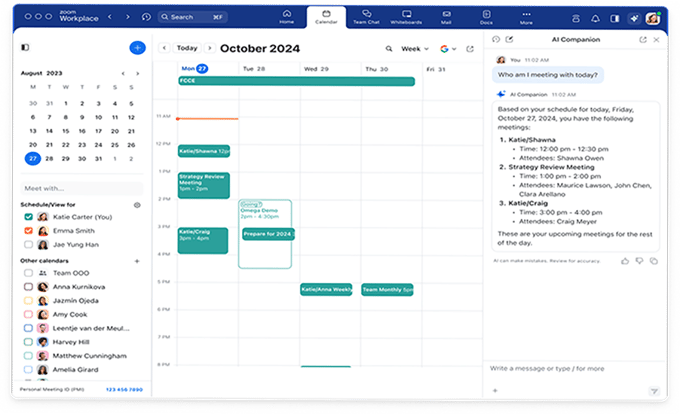
In meetings: real-time summaries, action item capture, and follow-up documents without anyone taking notes.
-
In chat: it surfaces key messages, summarizes threads, and highlights next steps, and custom agents can turn conversations into action.
-
In docs, sheets, and slides: AI Docs, AI Sheets, and AI Slides turn conversation context into finished deliverables, and Zoom Canvas, formerly Zoom Docs, builds visual mind maps and organized tables from your meetings.
-
In phone: it analyzes call summaries and voicemails, then recommends follow-up actions and creates tasks.
-
In Zoom Hub: now available, Hub gives users one place to manage content across Zoom Workplace with AI built in.
One note on how Zoom handles the AI itself. It uses a federated approach, combining its own large and small language models with third-party models from OpenAI and Anthropic, plus open-source models like NVIDIA Nemotron, rather than relying on a single provider. This lets the system pick the best model for each task.
Best for: Any team already paying for a Zoom Workplace plan. If meeting summaries are all you use today, start here, because you are very likely leaving paid features sitting idle.
Measuring the impact: The AI Companion ROI Dashboard
Making the business case for AI is easier with the AI Companion ROI Dashboard, available to account owners and admins. It uses your real meeting volume and AI Companion usage to calculate productivity metrics, including total time saved, host and participant savings, and unrealized savings where AI was not used but could have been. Admins can adjust the model and generate reports for leadership updates, budget conversations, and planning cycles.
Best for: Account owners and admins who need to justify the spend or show leadership what the AI is actually returning
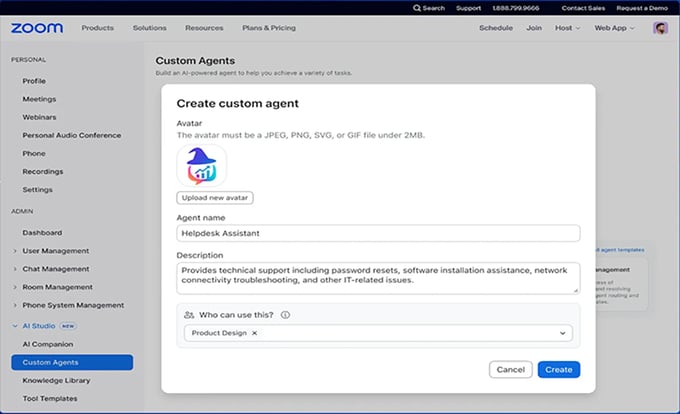
Custom AI Companion and where ZoomMate fits
Before ZoomMate, Custom AI Companion (CAIC) was Zoom's add-on for organizations that needed AI to do more than assist. It let teams build and deploy AI agents that act across Zoom and third-party systems, with no coding required, including prebuilt agents for Sales, IT, and Marketing and integrations into Salesforce, ServiceNow, Box, Google Drive, and OneDrive. Zoom Revenue Accelerator was the sales-specific layer, adding real-time coaching during calls and natural-language pipeline analysis. Zoom AI Services, a set of enterprise-grade APIs for developers, sat alongside it.
With the ZoomMate launch, Zoom confirmed Custom AI Companion reached end-of-sale on June 1, 2026. Current Custom AI Companion customers keep all existing features without disruption, but cannot expand seats. Starting August 6, 2026, Custom AI Companion customers can upgrade to ZoomMate as an upsell option, though migration is not automatic.
ZoomMate is positioned as a successor that builds on Custom AI Companion's capabilities, broadening agentic AI, search, and workflow integrations across third-party systems. The pricing model is also different. Custom AI Companion was a flat per-seat add-on. ZoomMate uses a usage-based credits model for advanced agentic functions, with some basic capabilities, search, and AI queries available without credits. That shift mirrors a broader move across the AI industry toward consumption-based pricing for advanced agentic features.
Best for: Larger or more complex organizations that need AI to take action across systems, not just assist in the moment. If you are evaluating this today, the conversation is now about ZoomMate. If you are an existing Custom AI Companion customer, you keep what you have until you choose to upgrade in August or later.
A simpler interface built around AI
Zoom refreshed the Workplace app with a cleaner design across desktop, mobile, and web. Streamlined toolbars, consolidated settings, and consistent navigation cut friction and keep the focus on the work. A few upgrades worth knowing:
-
AI Receptionist: formerly called AI Concierge, this 24/7 virtual receptionist now handles both calls and texts, collects information, supports scheduling, and escalates to a person when needed. It also routes callers by name through Dial-by-Name, and is set up and managed through AI Studio in the Zoom web portal.
-
SMS Delegation: send and receive texts on behalf of someone else using their Zoom Phone number.
-
Scheduler Delegation: assistants manage bookings without needing account credentials.
-
Zoom Rooms voice commands: "Hey Zoomie" lets users start meetings, adjust settings, and manage rooms hands-free.
Best for: Busy teams and the assistants who support them, where small daily frictions add up fast
New ways to communicate
Zoom's recent announcements added several tools aimed at more inclusive, expressive communication:
-
Avatars: lifelike or stylized avatars mirror real expressions and lip movements for people who prefer to engage off camera.
-
Zoom Clips with avatars: a custom AI avatar turns slide decks into multilingual video presentations without studio retakes.
-
Voice translator: live audio translation lets participants speak in their own language while others hear it translated in real time. It is in beta for paid US-based accounts at launch, available in five languages, with more coming.
-
Zoomie group assistant: use @Zoomie mentions or voice commands across Meetings, Chat, and Zoom Rooms to track action items, get answers, and keep things moving.
Best for: Distributed and multilingual teams, and anyone who wants to stay engaged when being on camera is not practical.
What Zoom AI does in the contact center
Zoom's AI capabilities extend into Zoom Contact Center, which was recognized in the 2025 Gartner Magic Quadrant for CCaaS for the first time, just three years after launching in 2022. Zoom is one of only two companies with placements in both the UCaaS and CCaaS Magic Quadrants. The core pieces:
-
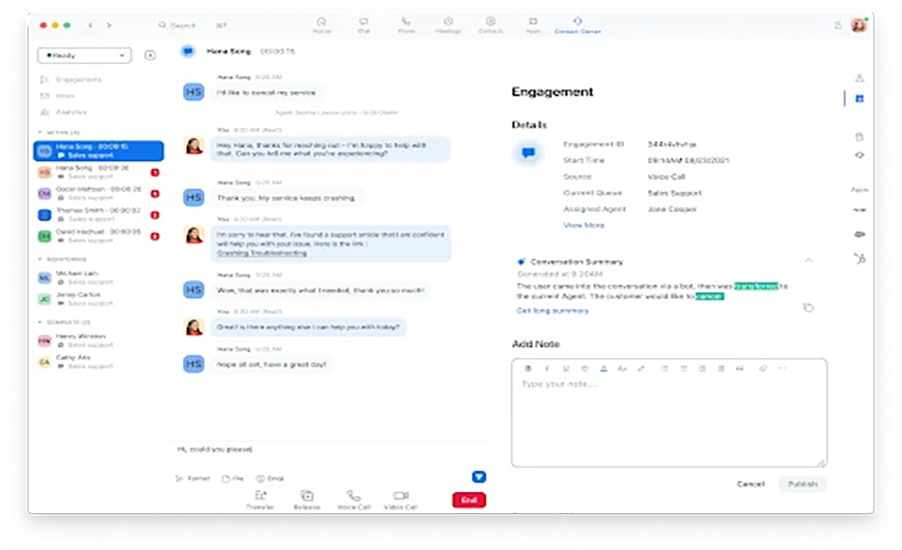
AI Expert Assist 3.0: a real-time, agentic AI layer for the contact center that acts as an active collaborator, giving agents and supervisors contextual guidance, intelligent orchestration, and automated task execution for faster resolutions.
-
Zoom Virtual Agent 3.0: handles automated self-service and intelligent routing across voice, chat, and SMS, with quality management for visibility into how those automated interactions perform.
-
Customer Workflow Orchestration: design and automate customer journeys across systems using plain-language workflow creation, triggered by contact center events or CRM signals.
-
CX Insights: leaders ask questions about customer experience and workforce performance in plain language and get clear, reasoned answers.
The results show up in the research. Zoom's State of AI in Customer Experience 2025 report, a Metrigy survey of 1,100 CX decision-makers, found organizations using AI in their CX stack reported up to 20 percent higher customer satisfaction and 15 percent cost savings compared to non-adopters. A separate Metrigy study put the gains even higher, with early adopters seeing an average 26.7 percent lift in revenue and a 32.6 percent gain in customer satisfaction.
Best for: Support and service teams that want self-service, live agent assist, and analytics on one platform instead of stitching tools together.
A New Layer of Trust: Deepfake Detection and Human Verification
As AI-generated impersonation and deepfake fraud grow, the risk in live meetings is real. Zoom addresses it two ways. Deepfake risk detection flags synthetic audio or video in a meeting with real-time alerts. And through a partnership with Tools for Humanity, World ID Deep Face lets the other person prove in real time that they are a genuine human rather than a deepfake, using face authentication, with a Verified Human badge on their video tile. That feature is currently in a beta program aimed at enterprises and regulated industries.
Best for: Any team handling sensitive, regulated, or high-stakes conversations where confirming who is on the call actually matters
The First Move is Knowing What You Have
Most communications leaders are not asking whether to adopt AI. They are asking how to do it without adding complexity or giving up control. The good news is that if your organization already runs on Zoom Phone or Zoom Meetings, the built-in Workplace AI features are included in your plan, with no separate procurement, granular admin controls at the user, queue, and account level, and coverage across both UCaaS and CCaaS on one platform. Industry research has consistently found that running communications and contact center on a single platform tends to improve revenue, productivity, and customer satisfaction while lowering cost.
A few things to keep in mind before you roll out broadly:
-
AI outputs depend on clear audio and consistent meeting habits.
-
Not every feature is available in every region or plan tier.
-
Advanced agentic capabilities through ZoomMate carry an added cost and use a usage-based credits model.
-
Any AI rollout needs clear policies around access, oversight, and data handling.
Most Zoom customers are not using everything already sitting in their plan. So the smartest first step is simple. Find out what is active in your environment and what is worth switching on. That is exactly where a neutral advisor helps. We will map what you already have, sort out what fits your team, and build a plan to get value from it, without the pressure to buy anything you do not need. Talk to an expert and we will help you make sense of it.


.webp)