
-1.png)
Microsoft Teams Phone is rarely as free or as complete as it looks at first glance. Here is how to read the true cost, decide when it is the right call, and avoid the surprises most buyers miss.
"We already pay for Microsoft 365, so calling is basically free, right?"
It is one of the most common lines in a voice modernization conversation, and it is where a lot of budgets quietly go sideways. A team flips on calling in Teams, then discovers the base license does not actually include a phone license for every user, does not connect to the outside phone network on its own, and the contact center they pictured is not really there.
None of that makes Teams Phone a bad choice. For plenty of organizations, it is exactly the right one. In this post, you will learn what Teams Phone actually includes, the cost layers that surprise people, when it is the right answer, and when it is not.
What Teams Phone actually is, and what it is not
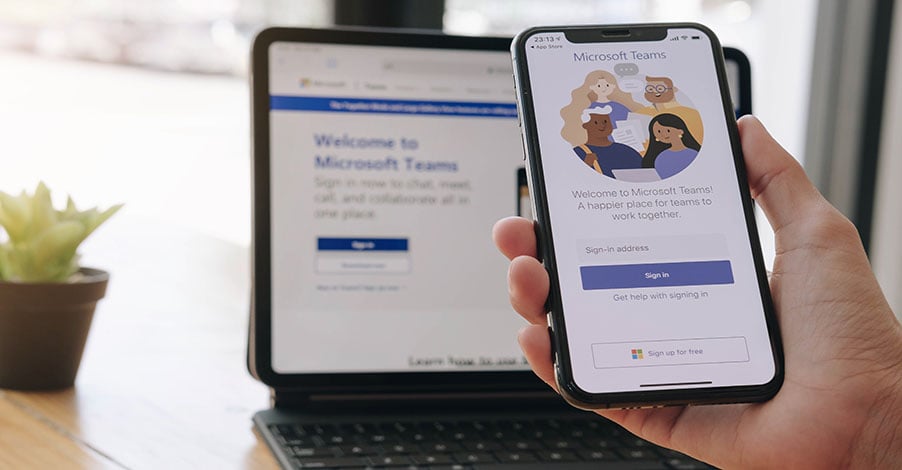
Teams Phone is a cloud PBX add-on, meaning a cloud-based phone system that adds calling to the Teams app your people already use for chat and meetings. It is genuinely good at being the dial pad inside Teams, and that familiarity is a real advantage.
Here is what it is not, out of the box. It is not connected to the public phone network by itself, and it is not a full contact center. Both of those are separate decisions, with separate costs.
Why the Teams Phone decision matters now
Adoption is real. Teams Phone has crossed 26 million users on the public phone network, up from 20 million in early 2024, though that still represents only about 6 percent of then addressable market. At the same time, the copper sunset and aging phone-system retirements are pushing many organizations to choose a cloud calling path in 2026.
Teams is often the default option in the room because everyone already has it. Default is not the same as best fit, and 2026 is a good year to tell the difference on purpose.

The "free" Teams Phone myth and the real cost layers
Start with the license itself. To make calls in Teams, each user needs a Teams Phone license, and that is a per-user cost. It is bundled into the premium Microsoft plans, E5, G5, and A5. If your people are on a lower tier, you buy a Teams Phone add-on license for every user who needs to call. For a lot of organizations, that is the first surprise. The calling is not riding along for free on the Microsoft 365 you already pay for unless you are already on one of those top-tier plans.
The license is the dial pad. To actually place and receive outside calls, you then add one of three connectivity paths:
-
Microsoft Calling Plans: the simplest option, predictable pricing, usually the priciest at scale.
-
Operator Connect: you bring an approved carrier, often at lower cost, and the carrier manages the connection to the phone network.
-
Direct Routing: the most control and often the best per-minute rates. It runs through a session border controller, which is the gateway between your network and the carrier. You do not have to operate that gateway yourself. Plenty of carriers manage the session border controller for you, which takes most of the complexity people expect here off your plate.
On top of the license and connectivity, auto attendants and call queues often need extra resource account licenses, and phone numbers, international calling, and other add-ons stack up. A fully working Teams voice deployment commonly lands well above the headline add-on price once you include all of it.
The point is not that Teams Phone is expensive. The point is to price the whole stack before you commit, starting with a phone license for every user, not just the line item in your Microsoft renewal.
You do not have to buy your calling from Microsoft
Here is the part most people miss. The three connectivity paths above are about connecting Microsoft's Teams Phone to the public phone network. You do not have to buy your calling plan from Microsoft at all. There is another option entirely: keep Teams as the interface your team works in, and have a different UCaaS provider deliver the actual calling service. Your people still live in Teams. The voice runs on someone else's platform.
There are two ways this gets set up, and the distinction matters:
-
Embedded UCaaS app inside Teams. Providers like RingCentral, Zoom, 8x8, Vonage, Dialpad, and GoTo Connect offer apps that surface their full UCaaS calling experience right inside Teams. Your users see the third-party dialer with features like advanced call recording, analytics, and contact center integration, all without leaving Teams. The third-party provider runs the phone system, not Microsoft.
-
UCaaS provider as the carrier behind Teams Phone. Other providers, including Cisco Webex Calling, CallTower, and several of the ones above, plug into Teams using Direct Routing or Operator Connect. Users get the standard Teams Phone experience, and the UCaaS provider is the carrier underneath. Your contract and voice service live with them, not with Microsoft.
Why would you choose this over Microsoft's Calling Plans?
-
No separate Microsoft phone license to buy if your organization is not on E5, G5, or A5. The calling comes from the UCaaS provider instead, so you skip a per-user cost.
-
AI features included without paying for Copilot licensing.
-
Failover that keeps your phones working even if Teams has an outage.
-
Global PSTN coverage that Microsoft Calling Plans does not reach.
-
Stronger native contact center capability without bolting one on.
-
Features Microsoft does not include, like deeper call analytics, compliance recording, or specific CRM integrations.
-
A multi-platform reality where your organization already uses Teams plus another UCaaS provider and wants a single phone system across both.
The point is simple. "We live in Teams, so we should use Teams Phone" is one choice, not the only choice. You can keep the familiar interface and still pick a different voice partner behind it. The right pick depends on what your calling actually needs to do, not on what is already in your Microsoft bundle.
When Teams Phone is the right answer
Teams Phone tends to be a strong fit when:
-
You already have E5, G5, or A5 licenses, so the per-user phone license is already included.
-
Your people already live in Teams all day, and your calling needs are mostly internal and standard.
-
You value one app for chat, meetings, and calls over specialized calling features.
-
You have a strong Microsoft team in-house, so you can set up and manage connectivity without leaning on outside support.
When Teams Phone is not the right answer, or not alone
It is worth pausing when:
-
You run a real contact center. Teams Phone is a phone system, not a full customer
experience platform. Skills-based routing, omnichannel, workforce tools, and deep
analytics usually call for a dedicated contact center solution working alongside it. -
You depend on analog devices that have to stay connected to the phone system,
like paging systems, emergency phones, panic buttons, and other analog phones. These need careful handling as the copper network retires. -
You need specialized features, compliance recording, or integrations that Teams
does not cover well on its own. Many organizations keep a dedicated calling or contact center provider for exactly this reason.
One more check if you run in a government cloud
This one applies to a smaller group than people assume. Most cities and local agencies run on the standard commercial cloud, not a government one. But if your organization runs in a government environment like GCC or GCC High, it is worth confirming that the calling path and any integrations you need are actually supported there. Availability can differ from the commercial cloud, and a contact center or call-recording integration that works commercially may behave differently in a government environment.

How to decide
-
Price the whole stack: a phone license for every user, the connectivity path, feature
add-ons, phone numbers, and any contact center, not just the add-on line item. -
Match the connectivity model to your size and skills: Calling Plans for simplicity, Operator Connect to use a carrier, Direct Routing for control at scale.
-
Separate the phone system question from the contact center question. They are not the same purchase.
-
If you run in a government cloud, confirm the environment and integration support before you commit.
The tradeoff is straightforward. Teams Phone trades best-in-class calling features for the simplicity of one familiar app. For many organizations, that is a clear win. For others, the missing pieces cost more than the convenience saves. The right answer depends on your calling profile, not on what is already in your Microsoft bundle.
Next steps
Write down what your organization actually needs from voice: the everyday calls, the contact center, the compliance, the analog lines. Then check Teams Phone against that list with full pricing in front of you, including a phone license for every user. If the list and the platform line up, you have your answer. If they do not, you have saved yourself an expensive detour.
If you want a supplier-neutral read on whether Teams Phone fits and what it will really cost, talk to an expert. We help organizations compare the options and the total cost without pushing any single vendor.


.webp)